Why use the “Likes” report?
Part of Presentation Management is reporting: tracking what works and what can be improved.
The “Likes” tab tells you how people in your system are communicating with each other about their work.
Pro tip!
Encourage users who are liking each other’s work! Collaboration is key.
Steps
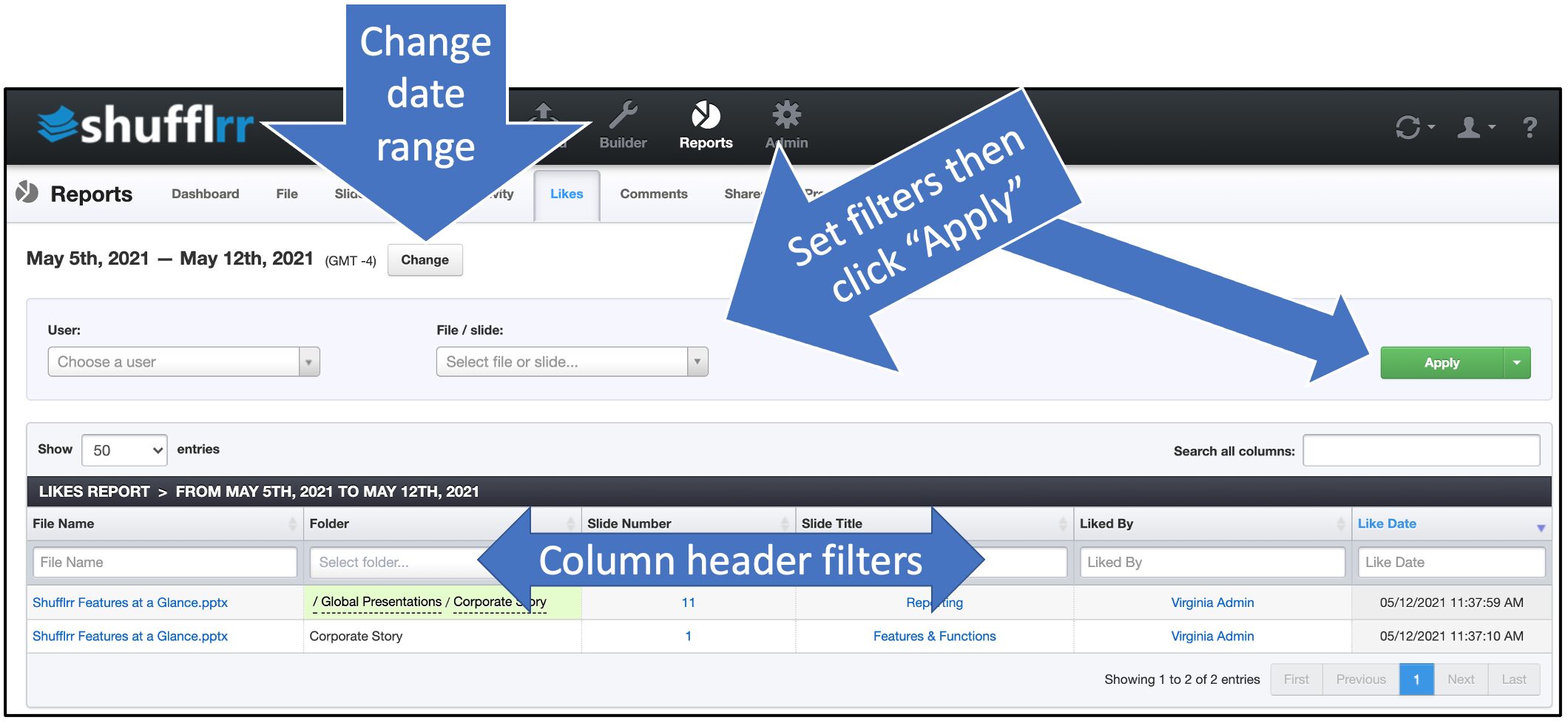
Click the “Reports” icon and the “Likes” tab.
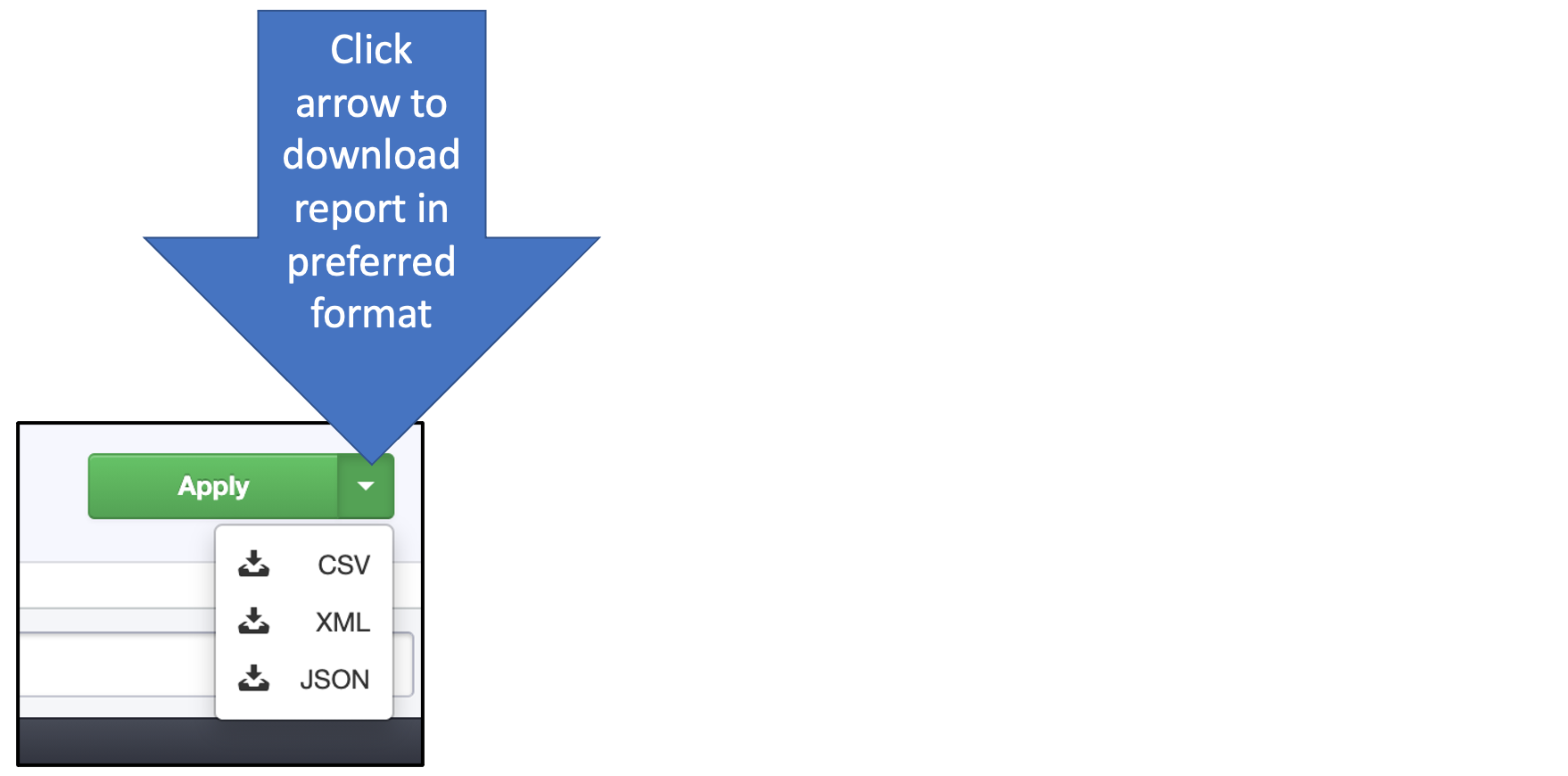
- The dropdowns along the top are filters; set them up and click “Apply” to add them.
- The column header filters can also be used to narrow down what you want to look at.
- Click “Change” at top left by the dates to select a different date range.