The browse tab provides a flat list of all files in all folders you have permission to see.
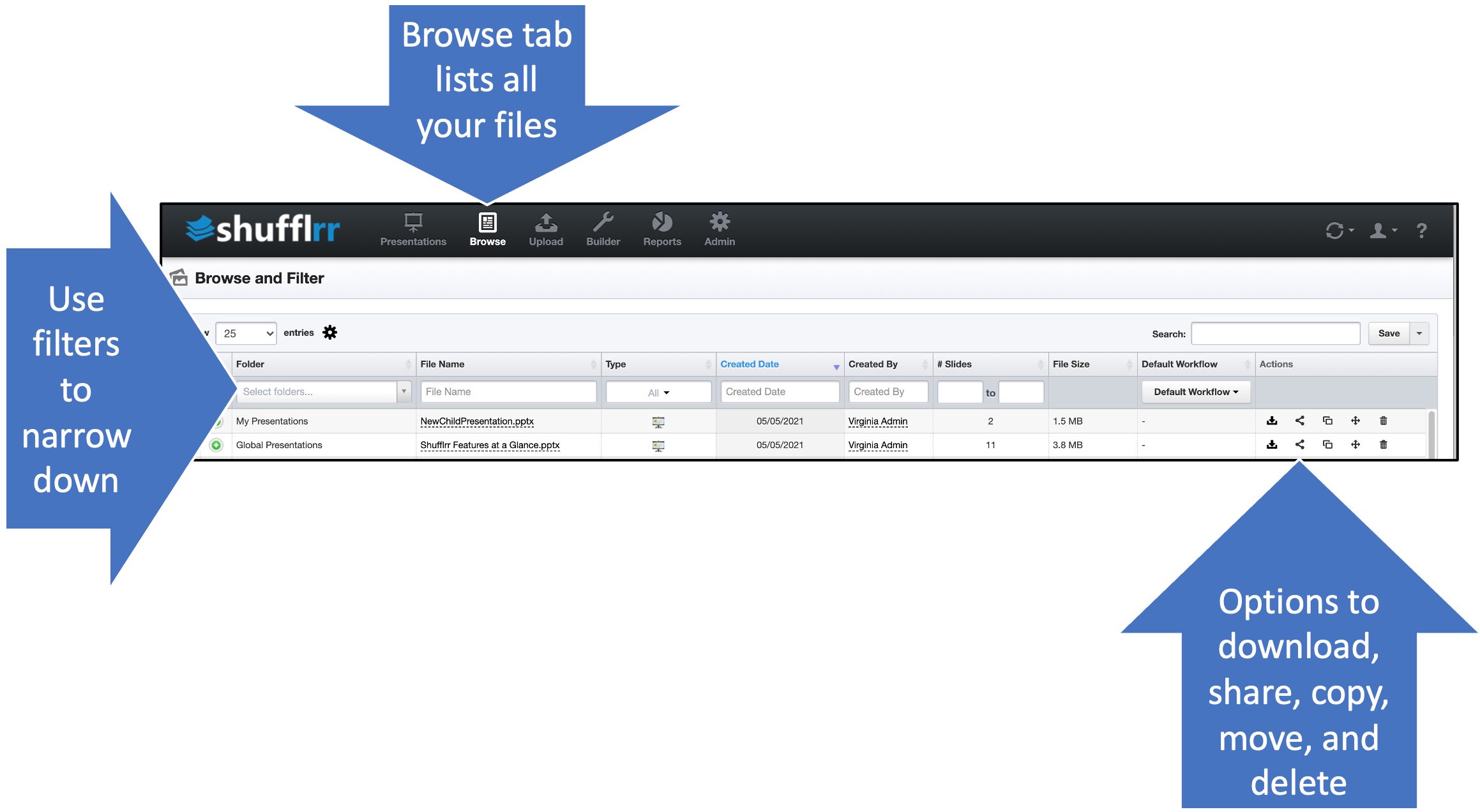
- Use the filters at the tops of columns to narrow down what files to see.
- Use the options at right to take action on files.
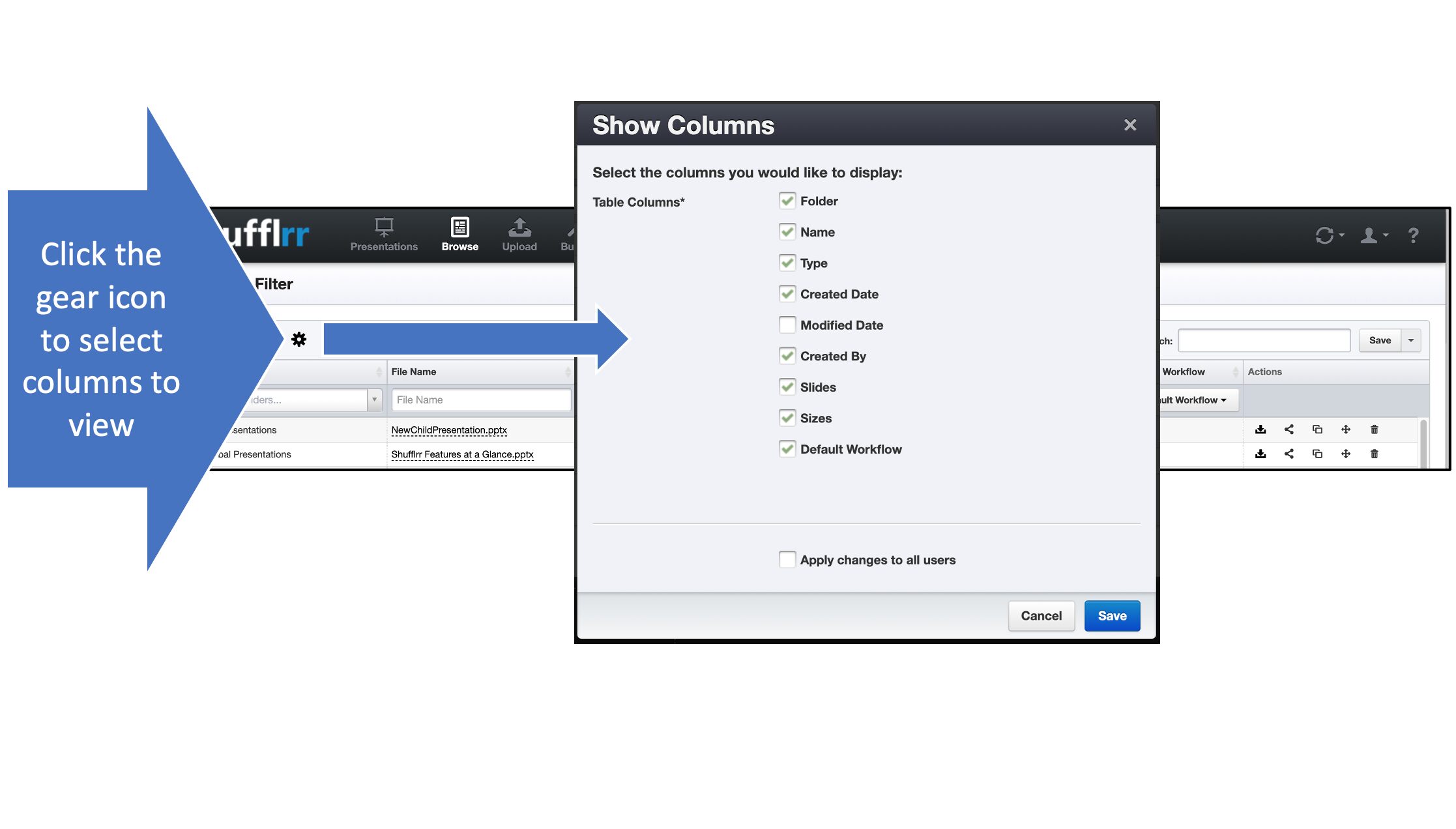
- Use the gear icon to select what columns to display.